
WhatsApp Link Generator
Instantly create a custom wa.me link with our free WhatsApp Link Generator. Add a pre-filled welcome message to start click-to-chat conversations in a single tap, no manual contact saving required.
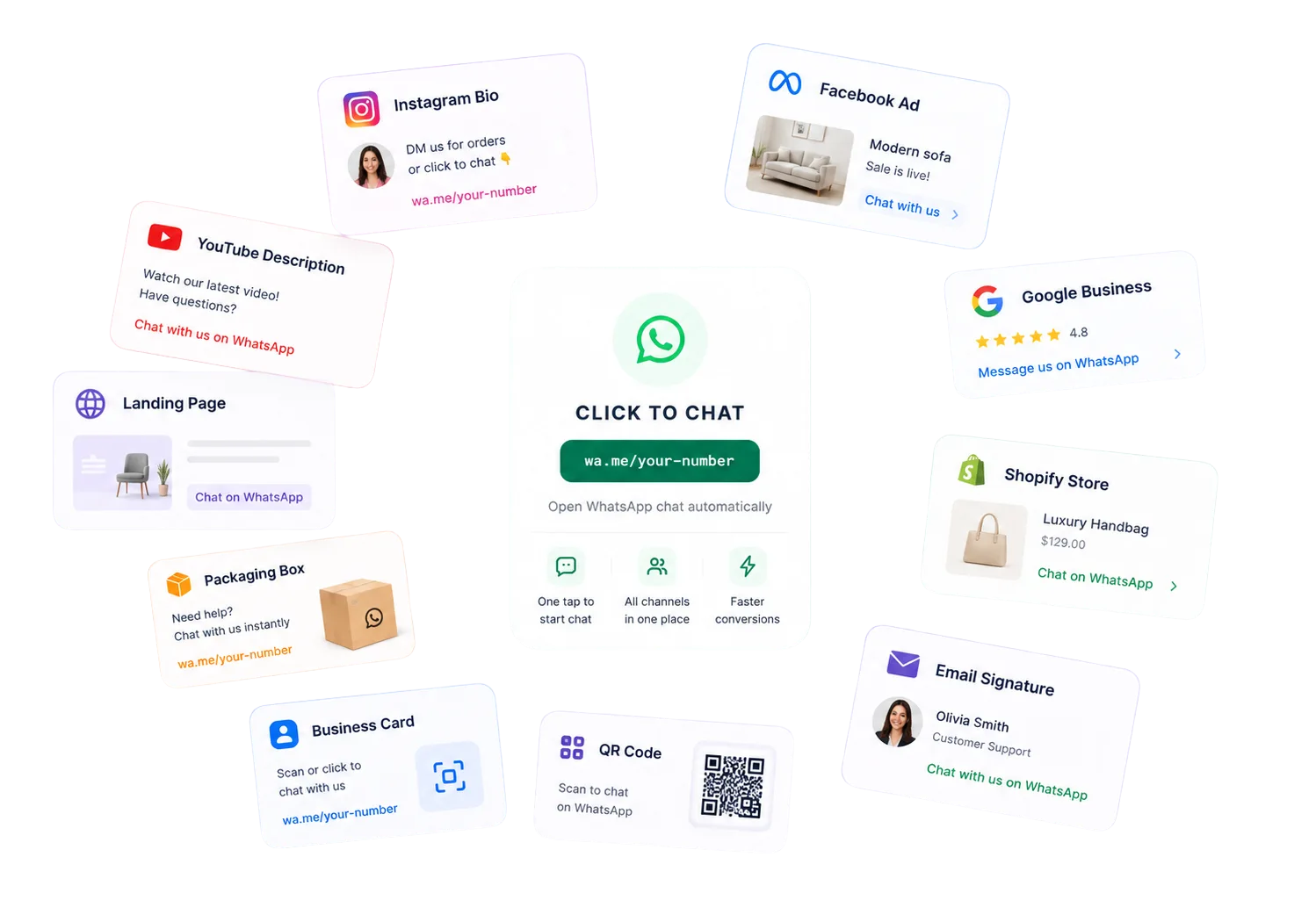
Share your WhatsApp link across your Instagram bio, Facebook Ads, website, landing pages, email signatures, QR codes, Google Business, and Shopify store to capture leads and drive sales.
Generate Your WhatsApp Link
Create a custom click-to-chat URL in seconds. Share your generated link across social media profiles, digital ads, web pages, and print media to engage with buyers instantly.
Enter your country code followed by your WhatsApp phone number
Add an optional pre-filled message for customers
Click Generate Link — your link is instantly ready to share
Include country code + number in full (no spaces or dashes)
This message will be auto-filled when customers open your link
What is a WhatsApp Link?
A WhatsApp link—commonly referred to as a wa.me link, WhatsApp URL, or click to chat link—is a custom URL that allows users to instantly start a chat with your phone number on WhatsApp. Instead of manually copying your number and saving it to their contacts, users can click the link on mobile or desktop to open a chat window immediately.
By bypassing manual contact entry, WhatsApp links eliminate friction in customer communication. When clicked, they automatically launch the native WhatsApp app on iOS or Android devices, or redirect users to WhatsApp Web on a computer. This makes it an invaluable tool for lead generation, marketing campaigns, and customer support.
Using a WhatsApp link maker, businesses can embed a pre-filled welcome message into the link. When a customer opens the chat, this message appears in their input field, allowing them to initiate contact with helpful context, such as asking about product pricing, requesting assistance, or checking availability.
Key Elements of a WhatsApp URL
- Official Domain:Always use the secure, official format starting with
https://wa.me/. - Clean Phone Number:Your number must include the country code, without special characters like
+, spaces, or dashes. - Pre-filled message:An optional welcome text parameter encoded within the link to help users start the chat.
Benefits of Linking WhatsApp
Faster customer communication
Reduce response latency and friction. Customers can open a conversation with one tap, removing the drop-off typical of contact forms.
More qualified leads
Capture high-intent prospects by placing chat links directly on social platforms, landing pages, and marketing campaigns.
Higher conversions
Drive direct conversions by answering pricing, availability, and support questions at the exact moment a buyer is ready to purchase.
Mobile friendly by default
Deliver a responsive experience that connects mobile shoppers directly to their native messaging app, ensuring seamless interaction.
No app installation required
Enable customers to message you using their existing WhatsApp app or WhatsApp Web, without having to install custom software.
Better customer support
Help customers quickly resolve issues by placing direct support links on Shopify product pages, invoices, or Google profiles.
How to Create a WhatsApp Link
Generating your own WhatsApp chat link is a simple 5-step process. Follow these instructions to build, customize, and deploy your click-to-chat links.
Choose the country code
Select the correct international country code for your phone number. Do not add any leading zeros, plus signs, or special characters. For example, use 1 for the United States, 44 for the United Kingdom, or 91 for India.
Enter the phone number
Type in your complete active phone number. Strip out any non-numeric symbols, dashes, spaces, or brackets. The final wa.me link must only contain digits to connect properly.
Add a pre-filled message
Draft an optional welcome message that automatically populates the user's input box. Use specific customer intents like 'I want to ask about pricing' or 'I need support with my order' to kickstart conversations.
Generate the WhatsApp URL
Click the generate button. The tool will automatically format your number and URL-encode the pre-filled text to build the final click-to-chat WhatsApp message link securely.
Copy and test the link
Copy the generated WhatsApp link and test it across desktop and mobile devices. Verify that it routes to the correct chat page before adding it to your Instagram bio, Shopify pages, or ads.
Where to Use WhatsApp Links
Place your WhatsApp link across your digital channels to convert visitors into direct, conversational leads.
Turn profile visitors into direct chat leads.
Add a main call-to-action to your profile page.
Route paid traffic directly into active chats.
Promote entry points from Instagram and FB feeds.
Capture search leads on your local profile page.
Turn daily emails into direct chat channels.
Help shoppers clear pre-sales doubts quickly.
Answer queries on product pages.
Offer a direct link on campaigns.
Connect printed cards to digital chats.
Generate scan codes for offline media.
Include direct support links on product boxes.
Let video viewers ask questions directly.
Best Practices for WhatsApp Links
To maximize click-through rates and manage conversations successfully, follow these standard best practices when sharing WhatsApp URLs.
Ensure your phone number starts with the correct country code (e.g., 1 for US, 44 for UK, 91 for India). Omit leading zeros, plus signs, brackets, or dashes, as their inclusion can break the click-to-chat redirect.
Pre-populate the conversation text with welcome templates like 'Hi, I want to book a product demo' or 'I need help with my Shopify order'. This makes starting a chat effortless for the customer.
Use high-converting CTAs like 'Chat on WhatsApp' or 'Get Support' on your landing pages and websites instead of displaying raw phone numbers, which get ignored.
For offline channels like packaging or printed business cards, convert long wa.me links into clean short URLs or high-resolution QR codes to make scanning easier.
Before launching Facebook Ads or sending email blasts, test your WhatsApp URL on multiple browsers, iOS, and Android to ensure it triggers the app correctly.
Add Google Analytics UTM parameters to your link destinations to identify exactly which channel (e.g., Instagram bio vs. Google Profile) drives the most traffic.
Don't let customer replies sit in an unmonitored personal app. Route all clicks to a shared team inbox like AxoDesk to assign chats, automate replies, and track leads.
WhatsApp Link vs QR Code
Understand the key differences between WhatsApp links and QR codes to choose the best format for your target channel.
| Feature | WhatsApp Link (wa.me URL) | WhatsApp QR Code |
|---|---|---|
| Best channel | Websites, ads, email, social bios, landing pages | Packaging, posters, business cards, receipts, store displays |
| Customer action | Tap or click the WhatsApp URL | Scan the code with a phone camera |
| Tracking | Easier to combine with UTMs and short links | Trackable when the QR code points to a tagged link |
| Setup speed | Fastest for digital campaigns | Best when you need offline-to-online conversion |
| Use together | Add the same link behind buttons and CTAs | Generate a QR code from the same wa.me link |
Frequently Asked Questions
A WhatsApp link, or click-to-chat link, is a clickable URL that uses the official wa.me domain to open a chat session with a specific phone number. It bypasses the need for manual contact saving, letting customers connect with businesses instantly on mobile or desktop.
Related Tools & Resources
Explore our advanced omnichannel CRM features and free business utilities.
Turn WhatsApp Link Clicks into Managed Conversations
AxoDesk connects your click-to-chat links directly to an omnichannel CRM. Track every source, assign chats to agents, automate replies, and close sales inside a unified team workspace.
1. Generate Link
Create a custom wa.me link with pre-filled messages.
2. Receive Chats
Capture incoming clicks instantly in a central CRM.
3. Manage Chats
Unify WhatsApp, Instagram, and web chat workflows.
4. Assign Team
Route conversations automatically to sales reps.
5. Automate Replies
Deploy AI chatbots to answer common FAQs 24/7.
6. Track Leads
Analyze campaign performance and conversion data.