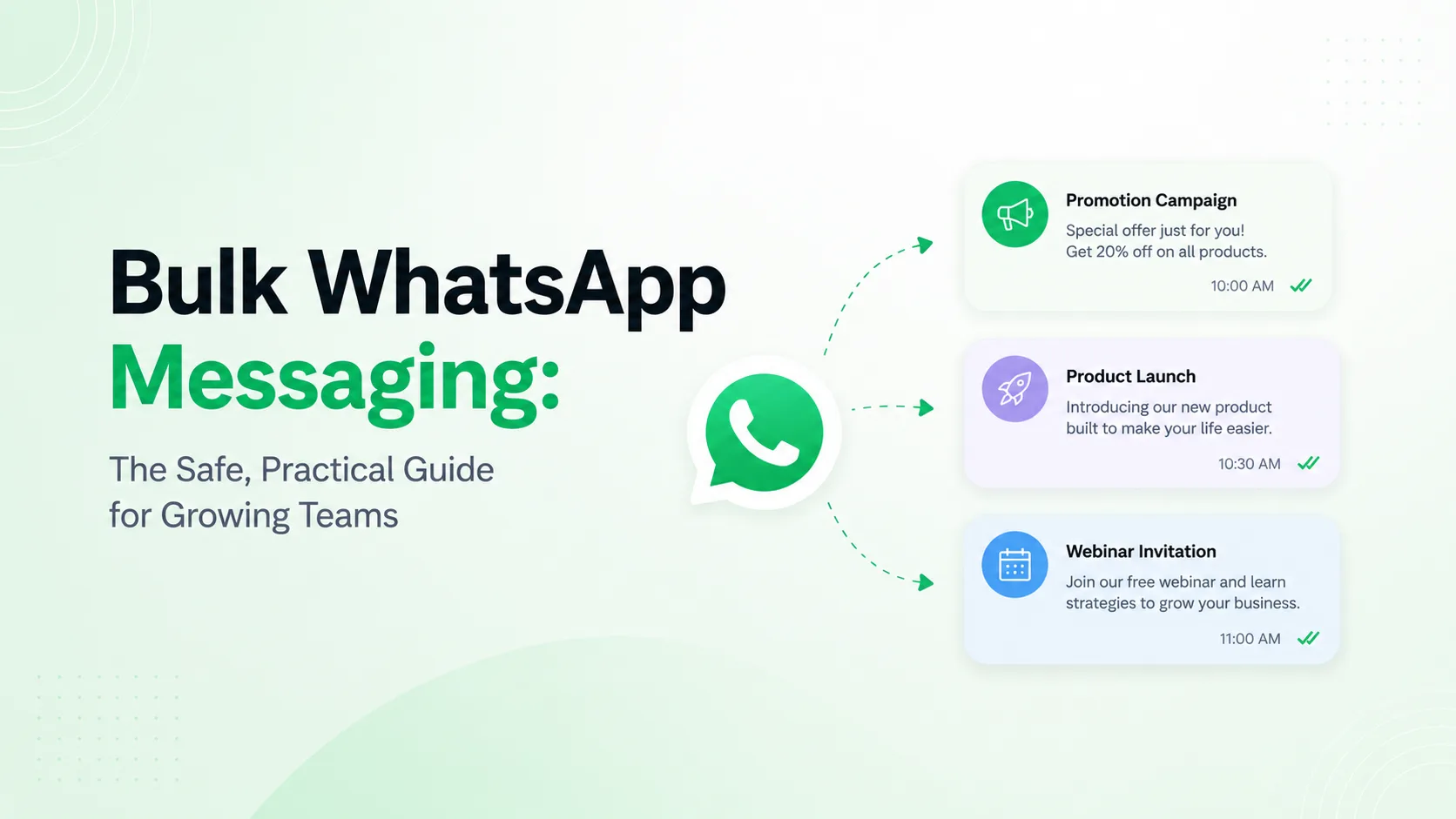
Quick answer: bulk WhatsApp messaging is safe when it is expected
Bulk WhatsApp messaging is not about blasting the largest possible list. It is about sending the right message to people who asked to hear from you, at a time and frequency that makes sense, with a team ready to handle the replies.
The safest approach is simple: collect clear opt-in, use the official WhatsApp Business Platform, send approved templates when required, segment your audience, include an opt-out path, and measure quality after every campaign.
Use AxoDesk to connect WhatsApp, build opted-in segments, send template-based broadcasts, route replies to a shared team inbox, and track campaign performance across channels.
Talk to sales or read the AxoDesk broadcast guide.
The problem: most bulk WhatsApp campaigns are planned like email blasts
WhatsApp is more personal than email. A customer sees your message beside family chats, work groups, delivery updates, and urgent conversations. If your campaign feels random, repetitive, or impossible to unsubscribe from, customers will block, report, or ignore it.
That is why successful WhatsApp campaigns are built around trust. The message should answer at least one of these questions:
- Did this person clearly agree to receive WhatsApp messages from us?
- Is this message useful right now?
- Can the customer easily reply, get help, or opt out?
- Is our team ready if hundreds of people respond?
Meta's WhatsApp Business Messaging Policy also expects businesses to create quality experiences, use opt-in, respect opt-outs, and use approved templates for business-initiated messages on the WhatsApp Business Platform.
What counts as bulk WhatsApp messaging?
Bulk WhatsApp messaging means sending a campaign or notification to many contacts at once. The message may be identical, but the safest campaigns use personalization, segmentation, and a clear purpose.
| Use case | Good bulk message | Risky bulk message |
|---|---|---|
| E-commerce | Back-in-stock alert to customers who subscribed to that product. | Same discount sent to every number collected from old invoices. |
| Support | Service outage update to affected users with a link to status details. | Repeated apologies to unrelated users who never contacted support. |
| Sales | Webinar invite to leads who requested product updates. | Cold prospecting to purchased mobile-number lists. |
| Healthcare | Appointment reminder to patients who opted in for reminders. | Promotional health claims sent without proper consent or review. |
Broadcast Lists vs WhatsApp Business App vs WhatsApp Business Platform
There are three common ways businesses try to message many customers on WhatsApp. They are not equal.
| Option | Best for | Limitations | When to move up |
|---|---|---|---|
| Broadcast lists | Very small manual updates. | Manual process, limited visibility, poor team workflow. | When you need reporting, segmentation, or repeatable campaigns. |
| WhatsApp Business App | Local businesses with low message volume. | Not built for multi-agent operations, deep automation, or campaign analytics. | When multiple teammates need to manage replies. |
| WhatsApp Business Platform | Growing teams that need compliant campaigns at scale. | Requires setup, templates, pricing awareness, and operational discipline. | When WhatsApp becomes a real sales, support, or marketing channel. |
| AxoDesk on WhatsApp Business Platform | Teams that also need Instagram, Messenger, live chat, email, CRM, automation, and analytics. | Requires a clean contact and consent process. | When campaign replies must become trackable customer conversations. |
Step-by-step guide: how to send bulk WhatsApp messages safely
1. Define the campaign goal before writing copy
Start with the business outcome. Is the campaign for order updates, abandoned cart recovery, appointment reminders, event registration, renewal prompts, support alerts, product education, or a seasonal offer?
The goal decides your message category, CTA, audience, automation, and success metric. A delivery update should not read like a sale. A promotional campaign should not pretend to be a utility message.
2. Confirm your WhatsApp setup
For campaigns at scale, use the official WhatsApp Business Platform through a trusted setup. In AxoDesk, start with the WhatsApp API guide and confirm your Meta Business details, phone number eligibility, webhook setup, and test message flow.
If your business is still in setup, review Meta Business verification requirements and your provider configuration before promising a campaign date.
3. Build an opted-in audience
Every bulk campaign should begin with consent. Collect opt-ins through checkout forms, lead forms, landing pages, QR codes, loyalty programs, support flows, or in-store prompts. Make the consent specific enough that customers know they are agreeing to WhatsApp messages.
Keep the source of consent in your CRM or customer profile. That record becomes important when you audit a campaign, clean a segment, or troubleshoot quality problems.
4. Clean and segment the list
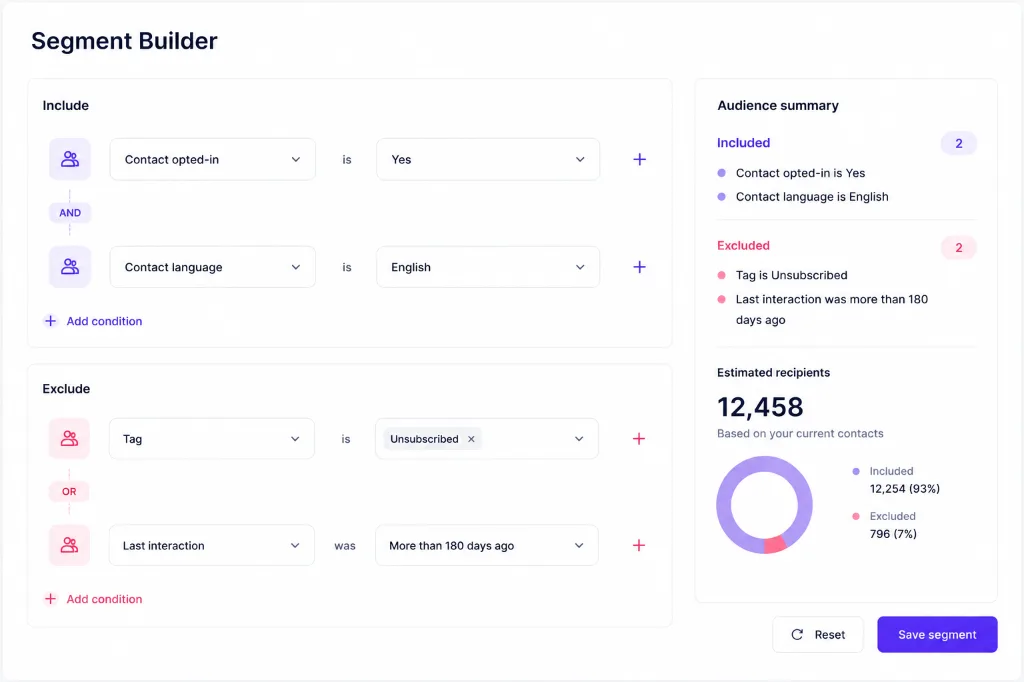
Before sending, remove duplicates, unsubscribed contacts, invalid numbers, suppressed contacts, and people who have not engaged in a long time. Then create segments that match the campaign.
Useful segments include recent buyers, high-value customers, abandoned carts, new leads, inactive users, city or language groups, VIP customers, event registrants, and customers with open support tickets.
5. Create the correct WhatsApp template
When your business initiates a conversation outside the customer service window, you generally need an approved WhatsApp message template. Choose the right category, keep the copy clear, and use variables only where they add real context.
Read the WhatsApp template guide before submission. Template rejections usually come from vague variables, wrong category selection, misleading wording, broken links, or copy that feels too broad for the stated purpose.
6. Personalize without making the message creepy
Personalization should make the message easier to understand. Good variables include first name, order number, appointment time, store location, product name, renewal date, or support ticket ID.
Avoid personalization that feels invasive, such as referencing sensitive behavior, private profile details, or information the customer would not expect you to use in a WhatsApp campaign.
7. Schedule with pacing and team coverage
Do not treat scheduling as a final checkbox. Send during sensible local hours, avoid sending the same customer multiple campaigns too close together, and make sure your team is available when replies arrive.
In AxoDesk, campaign replies can flow into the shared inbox, where teams can assign conversations, add labels, use internal notes, and escalate to sales or support.
8. Track outcomes and quality signals
Measure sent, delivered, read, clicked, replied, converted, failed, unsubscribed, and blocked contacts. Meta and WhatsApp also use user feedback and message quality signals, so your campaign health is not only about conversion rate.
Use the WhatsApp pricing tool while planning message categories and volume. WhatsApp Business Platform pricing can vary by market and message category, and Meta's public pricing page explains that charges are based on delivered messages, recipient market, and category.
Practical examples you can adapt
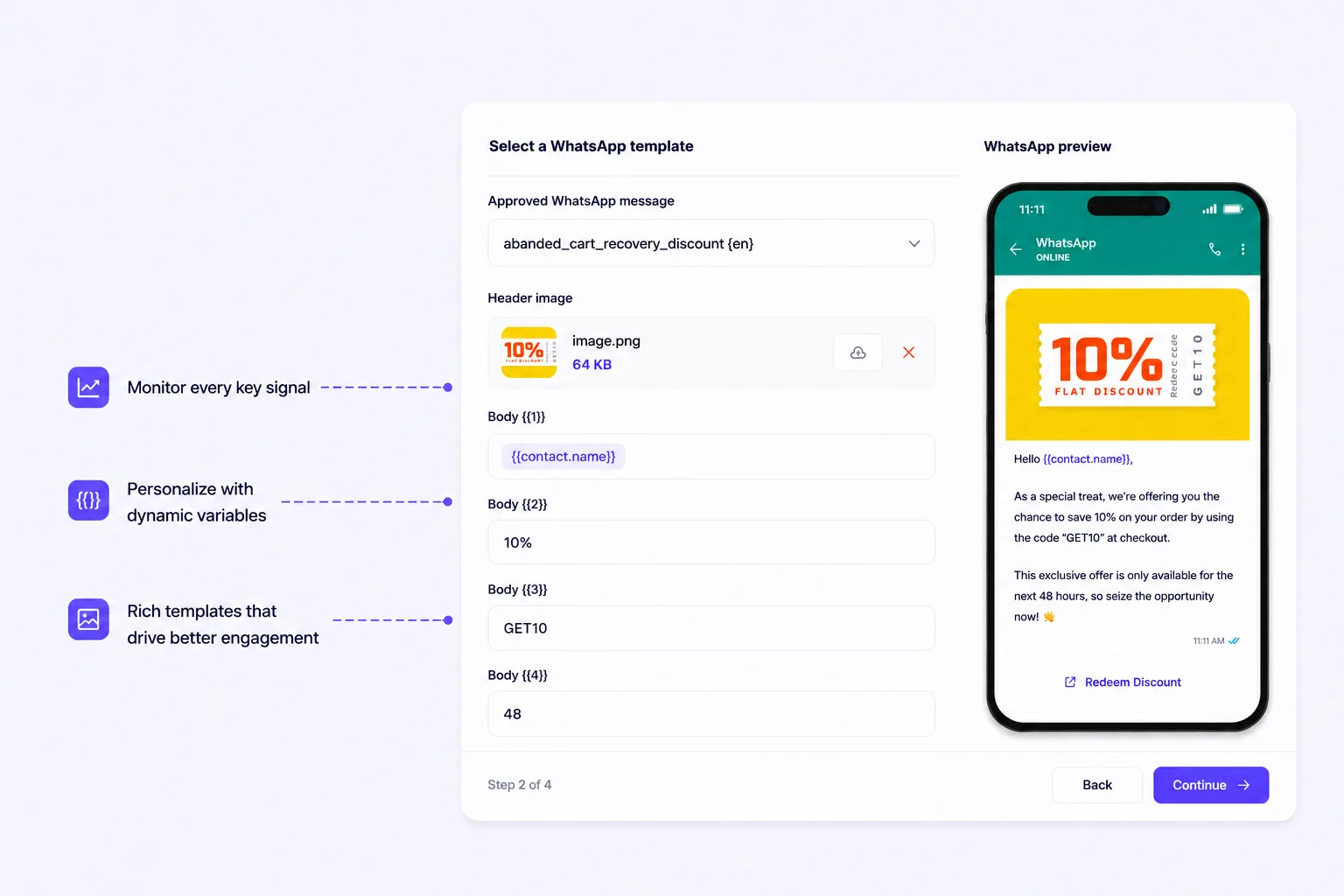
E-commerce flash sale for opted-in customers
Why it works: the recipient is opted in, the offer has context, the CTA is clear, and the opt-out path is visible.
Abandoned cart recovery
Why it works: it invites a conversation instead of only pushing a checkout link.
Appointment reminder
Why it works: it is transactional, useful, and gives the customer a simple action.
Support incident update
Why it works: the message is relevant to affected customers and creates a route for urgent cases.
Best practices for bulk WhatsApp messaging
- Collect opt-in before the campaign. Do not rely on old contact ownership as permission to message on WhatsApp.
- Use one campaign goal per message. Mixing updates, discounts, surveys, and support instructions creates confusion.
- Segment before you personalize. A personalized irrelevant message still feels like spam.
- Add opt-out handling. Make unsubscribe requests easy to detect and honor across future campaigns.
- Keep a reply plan. Assign sales, support, or success ownership before launching.
- Use frequency caps. Protect customers from receiving too many campaigns in a short period.
- Monitor quality after every send. High failure, opt-out, block, or low-read patterns are signals to slow down and improve.
- Document your campaign logic. Save the audience, template, consent source, send time, and result notes.
Common mistakes that increase account risk
Buying or scraping phone-number lists
This is the fastest way to damage sender quality. Purchased lists usually have poor consent, poor relevance, and high block/report risk.
Using unofficial bulk sender tools
Tools that promise unlimited WhatsApp blasts without proper API setup can put your number, brand, and customer data at risk. Use official platform paths and keep your customer data inside systems you trust.
Choosing the wrong template category
A promotional message should not be disguised as a utility update. Category mismatch can lead to rejected templates, poor delivery outcomes, or operational confusion.
Sending one message to everyone
New customers, loyal buyers, inactive users, and open support cases should not receive the same campaign. Use segments and suppression rules.
Ignoring replies after launch
WhatsApp is conversational. If your campaign generates questions and your team does not respond, the customer experience gets worse even if the campaign was delivered successfully.
No unsubscribe process
If customers cannot opt out easily, many will block the business instead. That is worse for trust and campaign quality.
Advanced tips for stronger WhatsApp campaigns
Use suppression lists
Create suppression rules for unsubscribed contacts, recent complainers, unresolved support cases, recent purchasers who should not receive another promo, and contacts who already received a similar message.
Run a small test before the full send
Send to an internal group or a small customer segment first. Check template rendering, variable fallback, link tracking, landing-page load time, reply routing, and support capacity.
Measure replies by intent
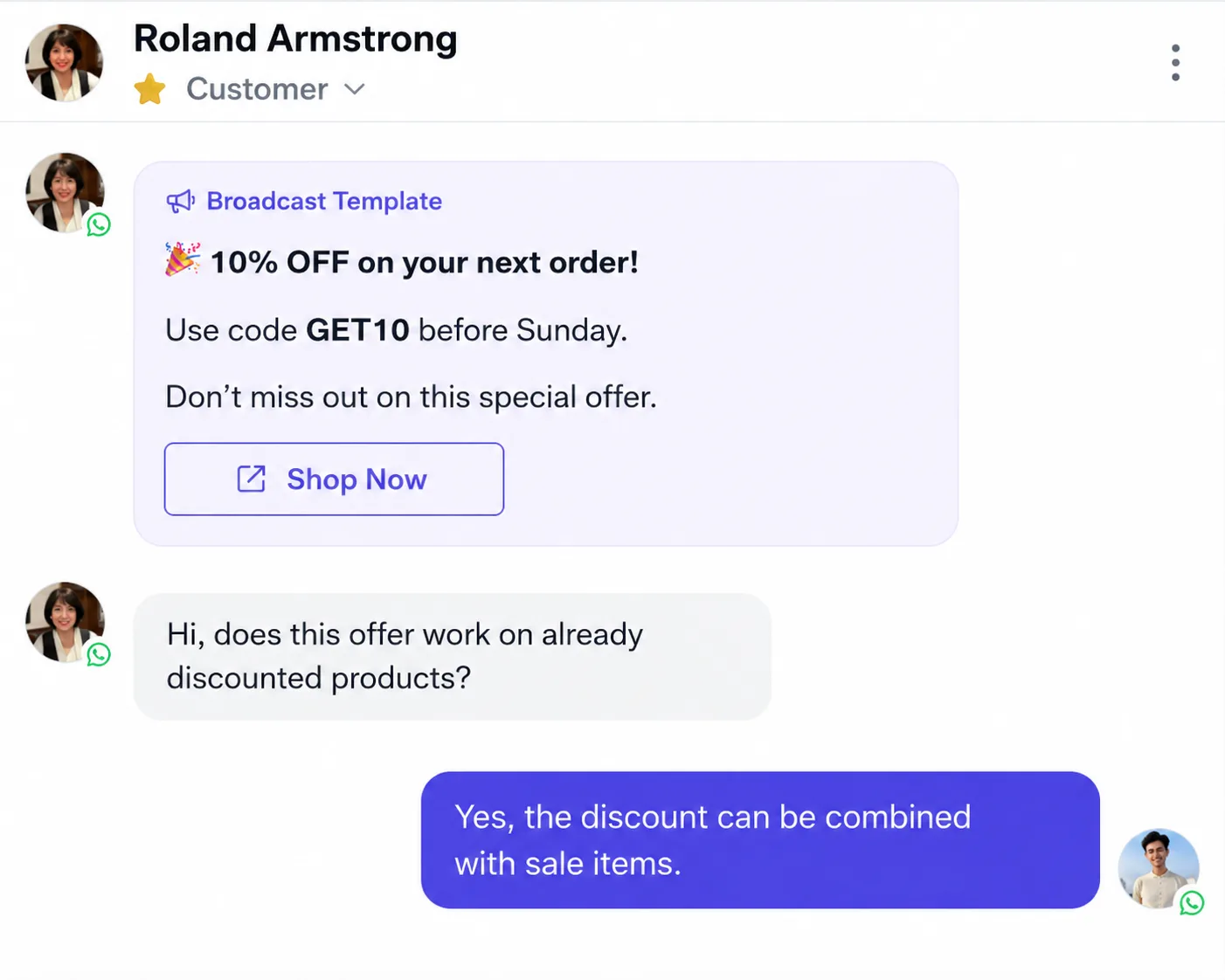
Do not stop at delivery and read rates. Categorize replies into purchase intent, support question, unsubscribe, complaint, billing issue, appointment change, and wrong audience. Those labels tell you how to improve the next campaign.
Use omnichannel fallback carefully
If a customer does not respond on WhatsApp, you may follow up through email, Instagram, Messenger, or live chat only when your consent and communication rules support it. AxoDesk helps teams manage those conversations in one place instead of scattering follow-ups across tools.
Connect campaigns to CRM context
A good campaign knows whether the customer is a lead, active buyer, VIP account, churn risk, or open support case. Use CRM fields and contact segments to decide who should receive each message.
How AxoDesk helps teams run safer bulk WhatsApp campaigns
AxoDesk combines WhatsApp, Instagram, Facebook Messenger, live chat, email, automation, shared team inbox, CRM, and analytics in one workspace. That matters because the campaign does not end when the broadcast is sent. The real work begins when customers reply.
- Opted-in contact segments: Build campaign audiences from CRM fields, labels, channel activity, and consent records.
- Template-based sending: Plan approved WhatsApp templates with variables and campaign context.
- Shared team inbox: Route replies to sales, support, or success without losing customer history.
- Automation workflows: Tag replies, assign teams, send follow-up steps, or escalate urgent cases.
- Omnichannel visibility: See WhatsApp conversations alongside Instagram, Messenger, live chat, and email.
- Analytics: Review delivery, replies, conversation outcomes, team performance, and campaign learnings.
Use AxoDesk's omnichannel inbox and automation workflows to turn broadcast replies into assigned, trackable conversations instead of a flood of disconnected messages.
Fair comparison: how AxoDesk differs from other tools
WhatsApp-first platforms such as WATI, Interakt, and AiSensy can be a fit when your main requirement is WhatsApp campaign setup. Developer-first platforms such as Twilio are often chosen by teams that want to build custom messaging infrastructure. CRM-first tools such as HubSpot can be useful when sales pipeline management is the central need. Broad messaging tools such as respond.io may fit teams comparing multi-channel inbox options.
AxoDesk is positioned for businesses that want WhatsApp campaigns and the post-campaign operating layer together: omnichannel inbox, shared team ownership, CRM context, automation, and analytics across WhatsApp, Instagram, Messenger, live chat, and email.
Related AxoDesk guides and tools
- WhatsApp API Guide - connect your WhatsApp Business number.
- Meta Business Verification - review setup prerequisites inside the WhatsApp connection guide.
- WhatsApp Template Guide - create and submit approved message templates.
- Instagram Automation - build cross-channel workflows for replies and routing.
- Omnichannel Inbox - manage WhatsApp, Instagram, Messenger, live chat, and email together.
- Shared Team Inbox - assign, collaborate, and track ownership on customer conversations.
- WhatsApp Pricing - estimate category and market-based messaging costs.
FAQ
Can I send bulk WhatsApp messages legally?
Yes, if you have the right consent, follow WhatsApp and local communication rules, use approved templates when required, respect opt-outs, and protect customer data.
What is the difference between a WhatsApp broadcast and a bulk campaign?
A broadcast is the sending action. A bulk campaign includes the full plan: audience, consent, template, timing, reply routing, measurement, and follow-up.
Can I send WhatsApp messages to customers who have not saved my number?
With the WhatsApp Business Platform, you do not depend on customers saving your number in the same way manual app broadcasts do. But you still need opt-in, template approval where required, and a compliant sending process.
Do I need a different template for every campaign?
Not always. You can reuse templates when the purpose stays the same, but avoid stretching one template across unrelated campaigns. The template should match the message category and customer expectation.
How do I reduce blocks and spam reports?
Send only to opted-in contacts, segment carefully, avoid excessive frequency, make messages useful, include opt-out handling, and respond quickly when customers reply.
What should I track after a WhatsApp campaign?
Track delivery, read rate, click rate, reply rate, conversion, opt-outs, blocks, failed messages, response time, and downstream customer outcomes such as orders, appointments, or resolved tickets.
Conclusion
Bulk WhatsApp messaging works when it feels like a helpful customer conversation, not a mass interruption. The safest teams build campaigns around opt-in, clear templates, relevant segments, sensible timing, and fast reply handling.
AxoDesk gives growing businesses the operating layer for that work: WhatsApp campaigns, omnichannel inbox, shared team ownership, automation, CRM context, and analytics in one place.
Book an AxoDesk demo and see how your team can run compliant, reply-ready WhatsApp campaigns without juggling disconnected tools.
Founder of Axora Infotech at AxoDesk
Writes about conversational commerce, AI automation, and customer communication strategy.