Messages in too many places
Your team switches between channels to find the conversation and understand what the prospect already shared.
AxoDesk for sales teams
Bring customer conversations, lead details, and your sales team together. Understand each enquiry, give it an owner, and keep the next step in view—from the first hello to the handoff.
Explore the sales workflow
Where opportunities get stuck
When conversations are scattered and the next action lives in someone's memory, even interested prospects can be easy to lose track of.
Your team switches between channels to find the conversation and understand what the prospect already shared.
Several people see the enquiry, but no one is sure who should answer, qualify it, or take the next step.
A teammate picks up the thread without the customer's needs, previous questions, or agreed next action.
The conversation moves forward while the contact record still reflects an earlier stage of the enquiry.
A shared way to sell
Give people and automation clear roles, so prospects can get help and your team can act with context.
01 / Understand the enquiry
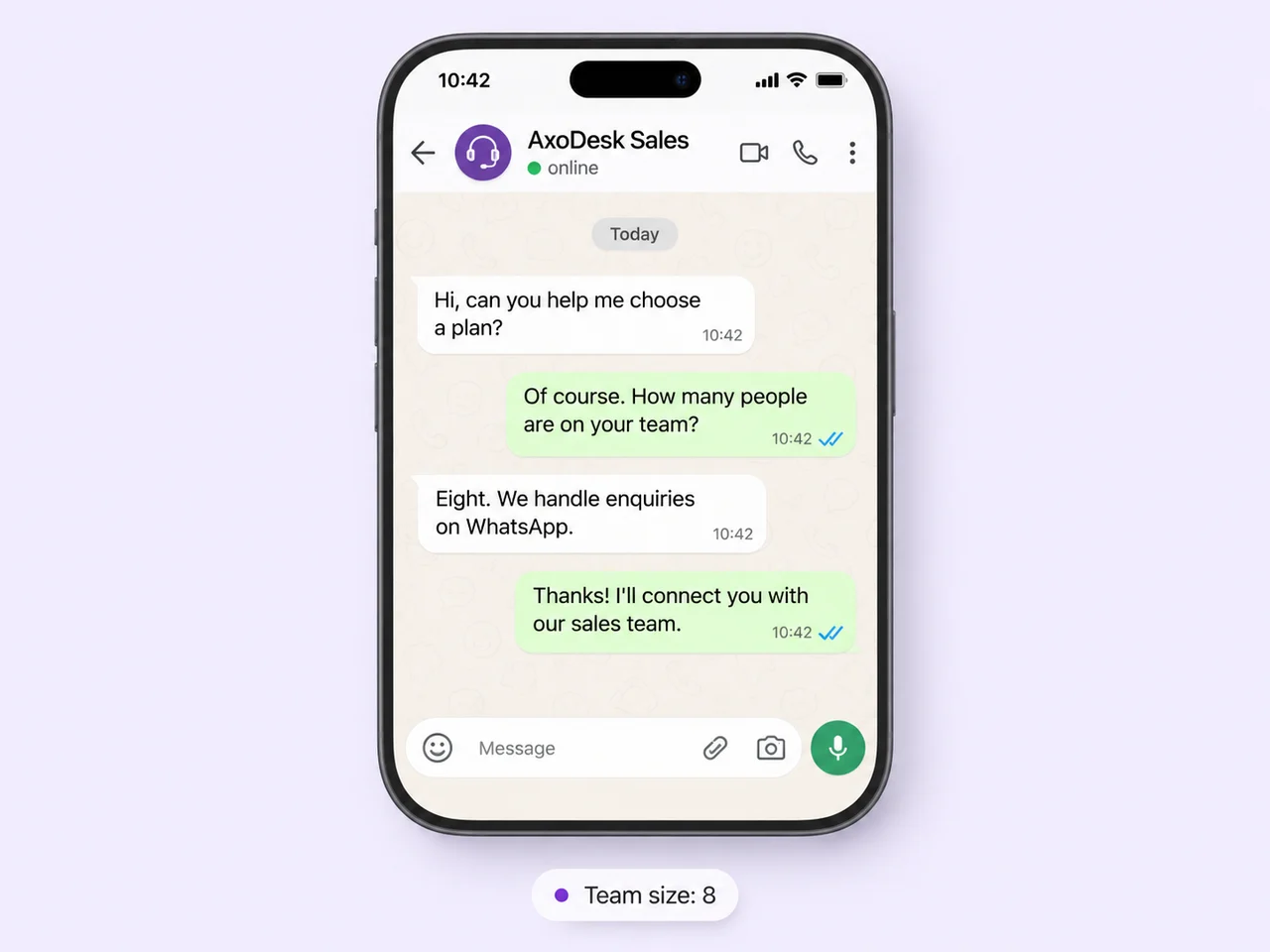
Help prospects explore your offering with an AI agent configured around your business knowledge. Collect useful details, such as team size, service interest, or location, before a salesperson joins.
Decide which questions the agent can answer and when it should pass the conversation to a person. Your team can review the history and continue from what the prospect has already told you.
02 / Put the right person in charge
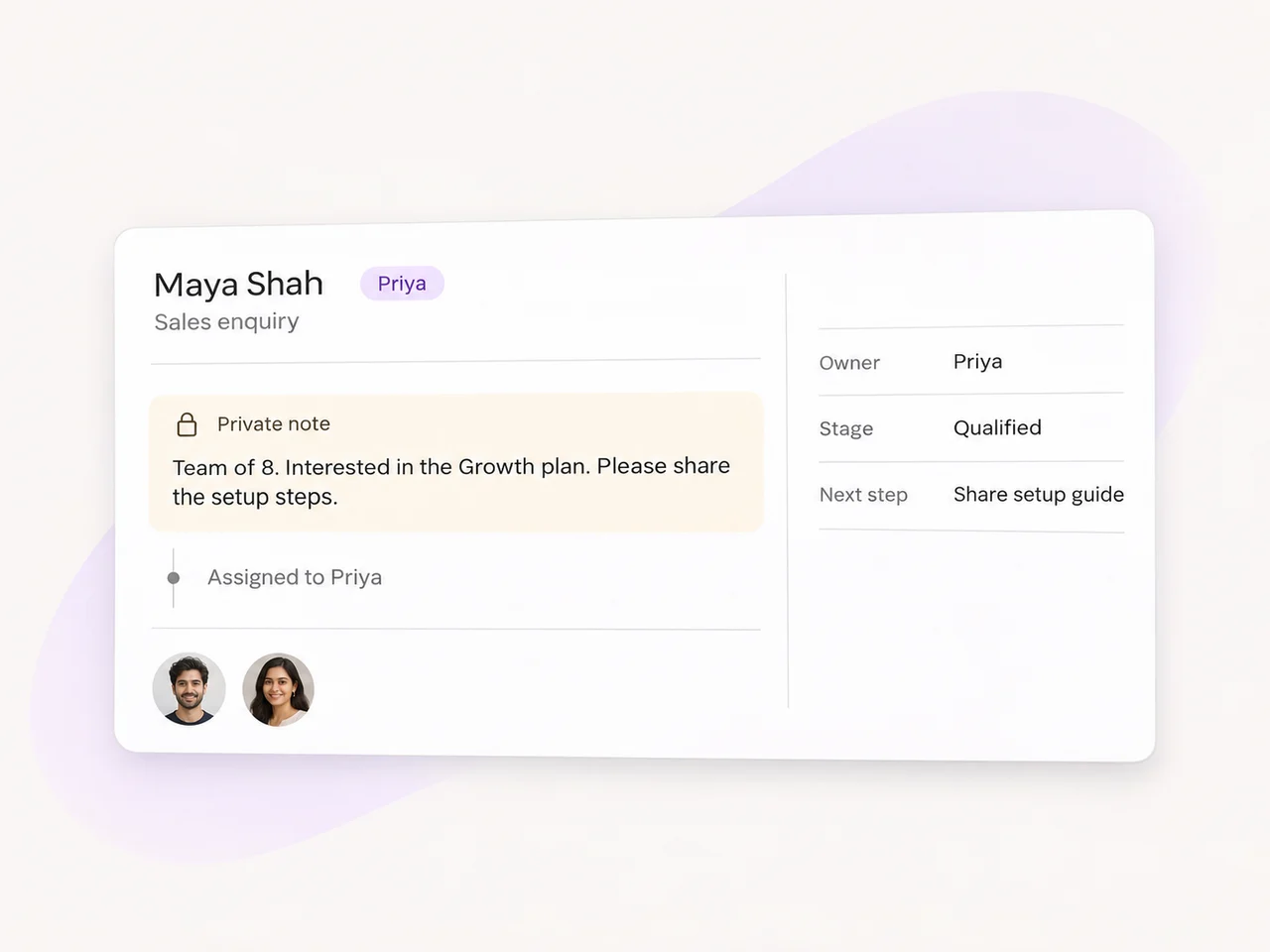
Assign the enquiry to a teammate or team, and leave a private note with the customer's goal and the next action. The next owner can read the thread before replying.
Use contact attributes and labels to keep the information your sales process needs close to the conversation. A qualification stage, preferred service, or agreed next step gives teammates a useful starting point.
03 / Keep the next action visible
A helpful follow-up starts with the last conversation. Make it easy for the team to see what was agreed, what changed, and what to do next.
Add the prospect's needs and your agreed action to the contact or conversation. Use a custom List attribute for the stages that fit your sales process.
Snooze a conversation until it needs attention again, or use saved views to review relevant enquiries. Share your configured scheduling link when a meeting is the right next step.
After the reply or meeting, update the stage and notes. Where a workflow handles an update, test its trigger and conditions so the team can trust the result.
Built around the team's day
Work with conversations from connected channels in a shared inbox. Teammates can read the history instead of asking prospects to repeat themselves.
Use assignment rules and available workflow conditions to direct incoming enquiries to the people responsible for them.
Use AI Assist to suggest a response or summarize a long conversation. Review the details and edit the wording before sending your reply.
Share your configured booking link when a prospect wants a demo or consultation. Keep the discussion and booking context together.
Use saved audiences and approved WhatsApp templates for targeted updates. Review recipient eligibility, message variables, and timing before sending.
Review first-response and resolution reports by channel, team, or agent. Use the results to spot where enquiries wait and improve team coverage.
Add knowledge, set the agent's boundaries, and test the handoff.
Create custom attributes and keep relevant information with each contact.
Choose a trigger, add conditions, and test the available actions.
Sales teams can use AxoDesk to manage conversations from connected channels in a shared inbox, qualify enquiries, assign owners, record lead details, and coordinate follow-ups. Start with the channels and steps your team already uses, then configure AI agents or workflows where they help your process.
No. The shared inbox can bring together conversations from the channels connected to your workspace, including WhatsApp, Instagram, and Facebook Messenger. Available actions vary by channel. Broadcast campaigns currently use WhatsApp and approved message templates.
Yes. Configure the agent with your business knowledge, the questions it should ask, and the boundaries of what it can answer. Set escalation conditions and a destination teammate or team. Test representative enquiries and handoffs before enabling the agent on a connected channel.
Use a custom List attribute for the stages in your sales process, with labels and other contact fields for useful context. Record the next action in a private note or an appropriate field. Use saved views to review relevant enquiries, and snooze a conversation when it should return to attention later.
Assign the conversation to the next teammate or team and add a private note with the customer's goal, key details, and agreed action. The next owner can review the shared history. An @mention can notify a colleague, but changing the assignment is what transfers ownership.
This depends on the integration enabled for your workspace. Confirm the CRM provider, supported actions, field mapping, and sync direction before relying on automated updates. Workflows can use available contact updates and webhook actions where configured; test the complete path with sample records first.
Give your sales team a shared place to understand enquiries, coordinate the follow-up, and move the conversation forward.